Analog workflow
· Dan
We build products we want to use, and Analog is a prime example of this. I’m a keen photographer, and pretty much all of my personal (and company!) photos get processed with Analog before being shared online or printed.
When editing photos I use a combination of Analog and Aperture, and very occasionally Photoshop. I thought it’d be fun to share the process I go through.
To give you some context, here’s a before and after shot (rollover it to see the final image).
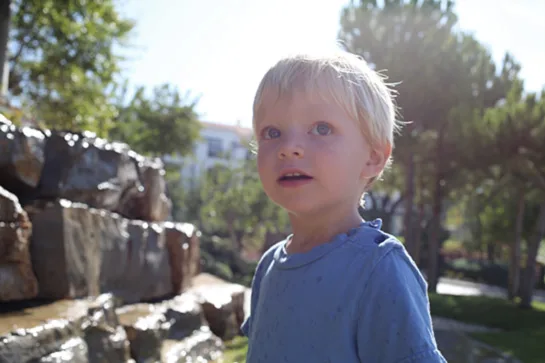
I use Aperture to import and manage all my photos, and last time I checked my library was just shy of 28,000 shots - not too shabby considering that’s 10 year’s worth of images!
When working with a photo I’ll always start in Aperture, usually just to tweak it. When doing a portrait like this I often sharpen a person’s features, paying special attention to the eyes. I also like to pump up the vibrancy of the colours just a bit.
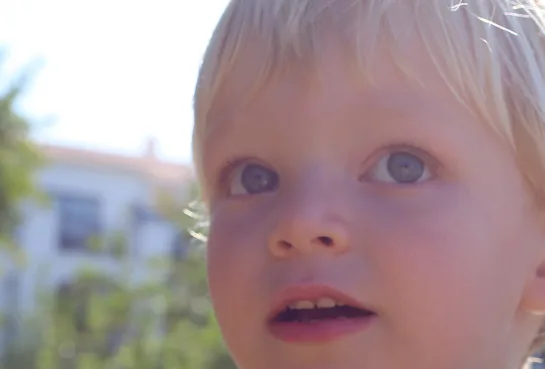
I use the new round tripping feature (recently added to Analog 1.2) to get from Aperture to Analog and back again. Once in Analog I’ll quickly flick through some of the filters I think will give me the look I’m after.
Analog Tip: you can hold down shift while mousing over the filters to see the effect instantly, instead of having to click, click, click.
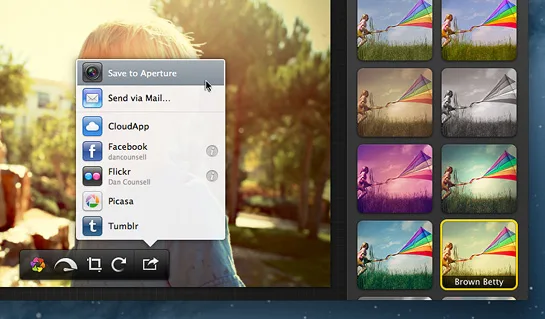
For this photo I went with Brown Betty (she’s one of my favourites). I rarely use any of the other effects at 100%, but with Brown Betty it’s different, I like to go all the way.
At this point the photo is looking pretty good, but still feels like it’s missing a little something…
I don’t often use Photoshop to retouch as Aperture and Analog pretty much cover most of what I want to do. This photo however seemed to be crying out for a little lens flare (it’s not often I say that). Used sparingly I think it can give your photo an almost cinematic feel and breaths a little bit of extra life into it.
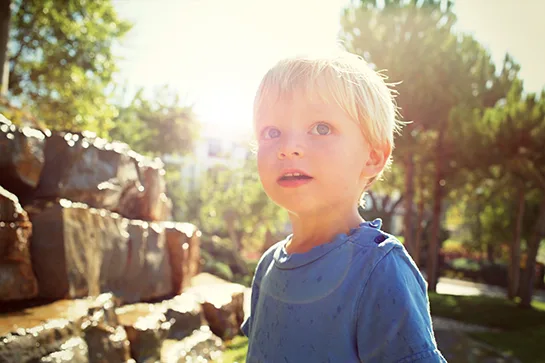
Hopefully this has given you a bit of an insight into how I use Analog. For more examples of how people are using Analog check out our Flickr Pool.
And lastly let us know how Analog fits into your workflow or what features you’d like to see in future updates by leaving a comment below.