



































RapidWeaver Elements app icon

RapidWeaver Elements,
the website builder for Mac.

Design responsive websites visually, without code, and publish them to your own hosting.

Looking for RapidWeaver Classic?

Design visually. Get clean HTML and CSS. Publish anywhere.

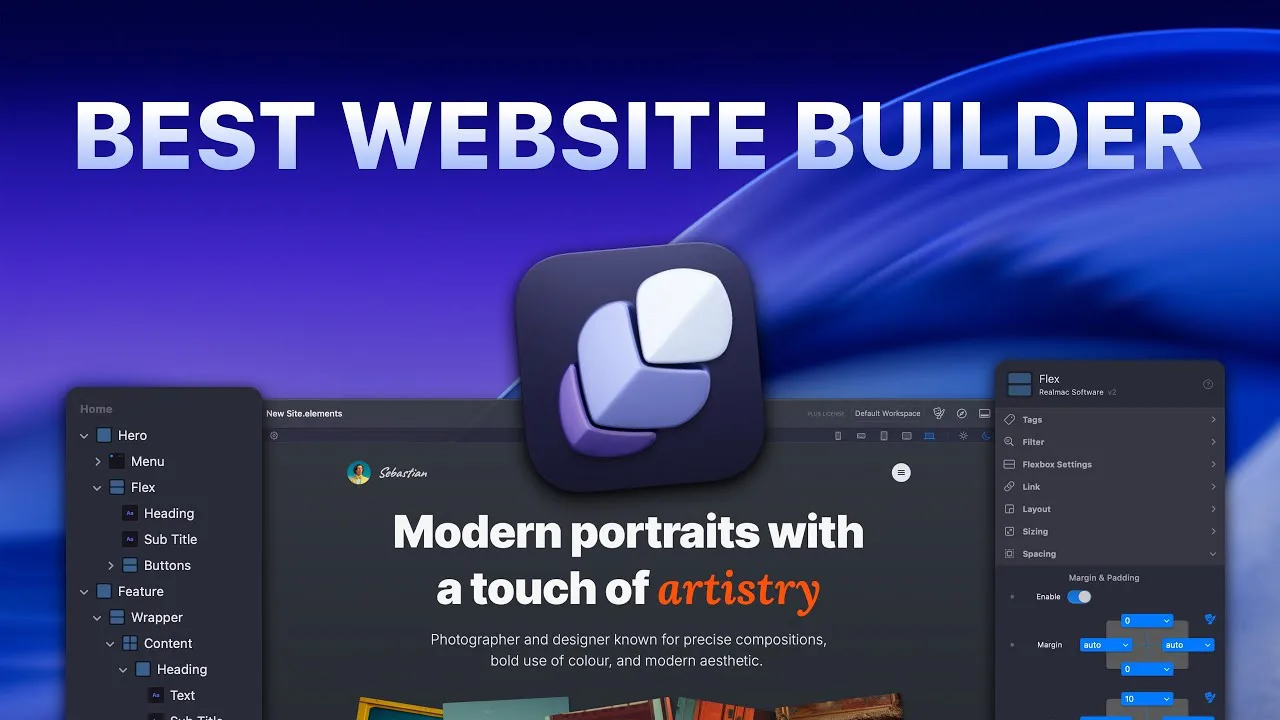
RapidWeaver Elements is a website builder for Mac that lets you design responsive sites visually, without code, and publish them to your own hosting. It’s the successor to RapidWeaver Classic, with built-in components, a CMS and AI tools in place of themes and add-ons.

Design, build and publish. All in one Mac app.

Build professional, responsive websites on your Mac.

Components, templates, forms, SEO settings and a built-in CMS, all in one responsive website builder.

An offline website builder built for Mac.

RapidWeaver Elements is web design software that runs on your Mac, not in a browser tab, so you don’t need an internet connection to build your site.

  • Your projects are files on your Mac. You own them, and you back them up however you like.

  • Keep working when the Wi-Fi drops. Design, edit and preview on a plane, a train or a patchy café connection.

  • Publish when you’re ready. Go online to publish over FTP, SFTP or FTPS, to Amazon S3, or export a folder.

An AI website builder that works with the tools you already use.

Connect your existing AI tools to the Elements MCP Server and build websites faster than ever before. Including ChatGPT, Claude, Grok, and many more.

Advanced features for professional sites.

Everything you need as your sites grow.

Praised by the Mac press.

Reviews, ratings and awards for RapidWeaver Elements.

Community reviews.

What people are saying about Elements.

  • Elements has been fast, stable, intuitive, and genuinely enjoyable to rebuild the site with… I’m convinced RapidWeaver Elements is the right choice for us moving forward.

    Eric Vaughn One Eleven · Realmac forum
  • I particularly appreciate the efforts of the rapidweaver Elements team to listen to users, answer their questions, and to improve the application which is very pleasant to use and efficient.

    Anne BOURDON Trustpilot, France
  • Coming from Blocs, Elements has been a breath of fresh air. It’s simple, easy to use, and it works. No surprises — what you see on the canvas is what you see in the web browser.

    Mike Realmac forum
  • Elements makes it possible for me to easily build a website that meets my current needs. Use of modern technologies and continuing development mean Elements won’t be left behind in a fast changing environment. And, most importantly, it has the best customer support I have ever seen anywhere.

    Duncan McLir Trustpilot, United States
  • It’s the difference of building a website with a clunky diesel car and then experiencing the fastest best electric car. It is intuitive and you will love the WYSIWYG style.

    Paul Moore Realmac forum
  • Really great software... Dan and Ben really care and help users with problems or issues. Can’t say enough...

    Michael Droste Trustpilot, United States
  • It is WAY faster to build a website with Elements than the Classic/Stacks combo. But more importantly it is WAY more user friendly and intuitive.

    Robin Mair Realmac forum
  • Once you go RealMac, you’ll never go back! Elements is a very good program for making websites. Support team is fast and friendly, the community forum is very active.

    Mikee Trustpilot, Belgium
  • I’m a long time RapidWeaver user who is migrating my sites and client sites to Elements. Love the pace of your development and the rich feature set.

    Mark Realmac forum
  • This is for me the best website builder for macOS. Even though it is powerful in its features and possibilities, it is still easy to use. Any request I had was answered promptly and the community is polite and very helpful. I use elements now on a daily basis to create websites for my clients.

    Jan Fuellemann Trustpilot, Germany
  • This effort was done in a couple hours with no code, just reading docs and trial-and-error… Stellar job, Realmac Software!

    Shawn King Early access · Realmac forum
  • Having followed the development of this exceptional software from the beginning, I am more than happy with the software and especially the developers. Exceptional reactivity to feature development, problem solving and collaboration. Exceptional software, exceptional customer service!

    Utz Wellbrock Trustpilot, Australia
  • I’ve been an RW user since the beginning… Elements is by far the biggest advancement since the creation of RW.

    Bart Vosters Beta, 2024 · Realmac forum
  • I’ve been a RapidWeaver Classic user for years. This new experience with RapidWeaver Elements is a game changer. I’m not a coder, just a regular user making personal sites. I love the fact that the application is user friendly and approachable. However, it has tricks up it sleeves with development tools built in, to make the most amazing add-on’s. The future is bright for Elements and I’m looking forward to what comes next. I might have to dig into the coding part, it looks amazing. Well done Realmac Software.

    Ken LaPlante Trustpilot, United States
  • It is a great combination between Adobe Muse and Blocs.

    Michael Realmac forum
  • The AI integration via MCP is fantastic. Building and editing pages with Claude directly in Elements is a real game changer.

    Michelangelo MultiThemes, Elements Store developer · Realmac forum
  • It already is and will be a greater application… a game changer for me.

    Russ Hore Realmac forum
  • It’s already amazing how far Elements has come in a year!

    Stephen Meyers Realmac forum
  • I’m not a web developer, just a speaker who needs a website… The product is super.

    Sarah Jones Realmac forum

Start from a website template.

Questions, answered.

What people ask before they start building with RapidWeaver Elements.

Getting started

RapidWeaver Elements is a website builder for Mac. You design responsive sites visually with ready-made components, see exactly how they’ll look on every screen size, and publish clean HTML and CSS to your own hosting.

If you want a native Mac app, try RapidWeaver Elements. You build visually without code, it writes standards-based HTML with Tailwind CSS, and you publish to any web host you like rather than being locked into one service. The free trial lets you judge it on your own project.

The quickest way is to use a Mac website builder such as RapidWeaver Elements. Start from a template, drag in components, check each breakpoint in the preview, then publish to your host over FTP or SFTP.

No. Apple stopped making its iWeb website builder in 2011, and macOS doesn’t include one today. RapidWeaver Elements is a website builder made for the Mac, so it’s a natural replacement for former iWeb users.

No. RapidWeaver Elements is a no-code website builder: you design with components and settings in the inspector. If you do write code, you can add your own HTML, CSS and JavaScript with code injection, code pages and custom components.

Features

Yes. RapidWeaver Elements includes the Elements MCP Server, which connects AI tools such as ChatGPT, Claude, Gemini, Grok, Cursor and LM Studio to your project so they can help build and edit your site.

Yes. RapidWeaver Elements is a Mac app and your projects are saved on your Mac, so you can design and edit your sites without an internet connection. You only need to be online to publish, back up to Elements Cloud or use online AI tools.

Yes. RapidWeaver Elements has a built-in CMS that stores your blog posts and other collections as Markdown files, with a Markdown editor and components to show them on your pages.

Anywhere you like. RapidWeaver Elements publishes to your own hosting over FTP, SFTP or FTPS, or to Amazon S3, and Smart Publishing uploads only the files that changed. You can also export the site to a folder on your Mac.

RapidWeaver Elements produces clean, semantic HTML styled with Tailwind CSS, with Alpine.js for interactive parts. There’s nothing proprietary to run on your server.

Switching from RapidWeaver Classic

Yes. RapidWeaver Elements has a Classic Project Importer that brings over your page structure and resources, so you don’t start from nothing. Expect to rebuild the design with Elements components.

RapidWeaver Elements is a new app with built-in responsive components, while RapidWeaver Classic relies on themes, Stacks and third-party add-ons. Classic is still available for existing projects.

Buying and licences

Yes. The RapidWeaver Elements trial is free to download. It’s limited to three pages per project, and publishing and exporting are turned off until you buy a licence.

Your RapidWeaver Elements purchase includes the app and one year of updates, which renews automatically unless you cancel. The licence never expires, so if you stop renewing you keep using the latest version your update period covers.

One RapidWeaver Elements licence can be active on up to three Macs at the same time. You can deactivate a Mac from the Registration window to move the licence.

Yes. RapidWeaver Elements comes with a 30-day money-back guarantee on your first purchase. Email your receipt to support and you don’t need to give a reason.

RapidWeaver Elements runs on macOS 13.7.8 Ventura or later, on Apple silicon and Intel Macs.

RapidWeaver Elements app icon

Start building your website on your Mac.

Download RapidWeaver Elements and try it free on your own project.

Read the RapidWeaver Elements release notes Compare RapidWeaver Elements with Squarespace, Webflow, WordPress and more

Download

Confirm your email and we'll send your code. Unsubscribe any time. Privacy policy