Our Marketing Tools
· Thibault
No matter what your job is, there’s a fine balance to achieve between finding tools to help you and being focused on the task.
So I thought I’d talk a little about the tools I use to help me get through the day, on the Marketing and Support front. Some will probably come as no surprise!
The Basics
Clear – Our own app for quick to-do lists and notes. I would be lost without Clear’s synchronisation and simplicity. Whether it’s tracking the work I need to do, or keeping track of the groceries at home, this is the app I need and use the most.

iA Writer – Anytime I need to write a draft for a marketing copy, a long email or a blog post, iA Writer is here to help. It’s an app that I can use to just focus on what I’m writing, without any room for distraction. As an alternative you may want to check out the excellent Byword.
Simplenote - For quick and random thoughts I use Simplenote, which recently launched a new version on Mac and iOS devices. I try to keep things short and know that I can get back to it later. I can take quick notes during a meeting, or jot down a few ideas and use the search and tags to stay organised and retrieve it later. As a much more powerful alternative, you can give Evernote a try.
Flint - Flint is a client for 37signals' Campfire. Here at the office, we use it as a chatroom to discuss the development of our products as well as talk about things we've seen online and offline, post useful links, or share memes.
No matter what the task is, I always keep those apps next to me. Most of the team uses them as well, to stay on top of current tasks and projects.
Web
Campaign Monitor – Our newsletters are sent through Campaign Monitor. Once the content is ready, we set everything up on the platform directly – we have created our own themes and just need to add the text, images, and test the outcome. Campaign Monitor has the right blend of simplicity and the features that we need.
GoSquared – Our website analytics are provided by our friends at GoSquared. Their recent redesign makes the service even better, and the realtime tracking is very useful to give us more insight into traffic when we publish a new blog post, release an update to an app, or just view overall trends.
Support
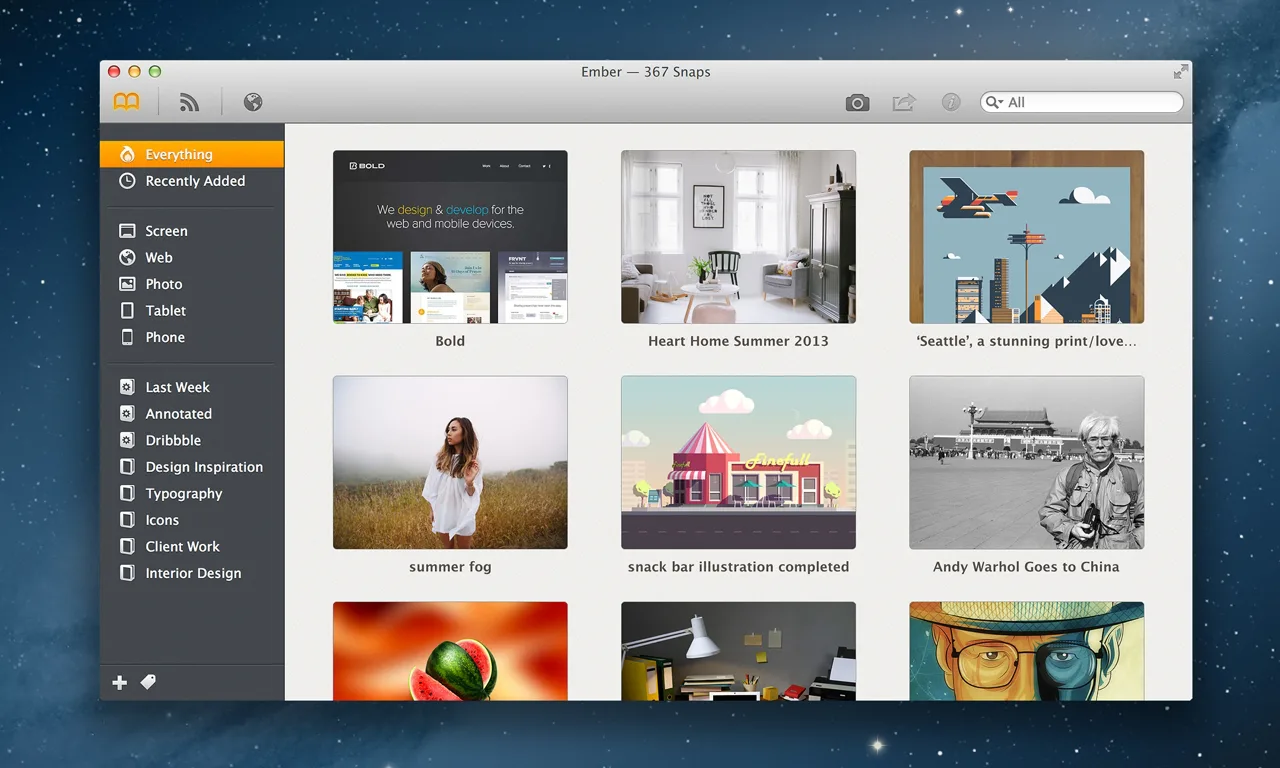
Ember – When I need to take screenshots to show something to a user or to highlight an app or website with the rest of the team, Ember is the go-to app that we use. If you open my Ember library, you will find collections of GIFs, work-related screenshots, as well as some design-oriented pictures.
Firehose – We’ve tried several support platforms over the years but lately we’ve been enjoying Firehose. It combines Twitter, Facebook, and email support, in one simple interface. There is no clutter and no extra feature that we will never use. It’s what allows us to be reactive and help our users as fast and efficiently as we can.
Social
Buffer – I really rather love Buffer, both as a service and as a company. Not only can you use it to crosspost on several social networks at an optimal time, but they also are extremely reactive on Twitter when you need help. And as a bonus: their blog is a marketing goldmine.
These are some of the tools that I use daily in my job in Marketing and Support at Realmac. But don’t let yourself be fooled by the urge to instantly change tools and platforms: while it’s important to look for ways to aid your workflow, everyone has a different way to work and I highly encourage you to look for the services that make the most sense for you.
There’s nothing an artist needs more - even more than excellent tools and stamina - than a deadline.
If you have some questions or suggestions, feel free to get in touch on Twitter: I’d be happy to hear more.