Slimming down your App Store submissions
· Ted
While your average app may not be a particularly bulky, games have always been significantly larger downloads and one important consideration in the run up to the launch of Hatch was to keep Hatch under the cellular download limit - there’s nothing more annoying than discovering a game that you want to buy and play, only to find that it’s too big to download on-the-go!
When the App Store first launched, the cellular download limit was just 20 MB. With the arrival of Retina displays it was then raised to 50 MB, and with Retina universal apps now the norm it stands at a more reasonable 100 MB. When dealing with any amount of sound, video, and graphics, you can still rapidly run out of room. It’s very hard to judge how much keeping within the cellular download limit has an effect on sales, but at the very least it helps improve the experience if your app can be bought on the run.
A naive approach
A first, and reasonable, approach might be to look into the build product folder and order your assets by size to see what’s taking up the most space. There’s an issue here though, what you’re actually optimising is the app footprint on the device (that is how much space it takes up once decompressed and installed). A worthy endeavour, but it's not going to help you sail under the 100 MB limit.
What we're really looking for is the size each asset takes up within the IPA.
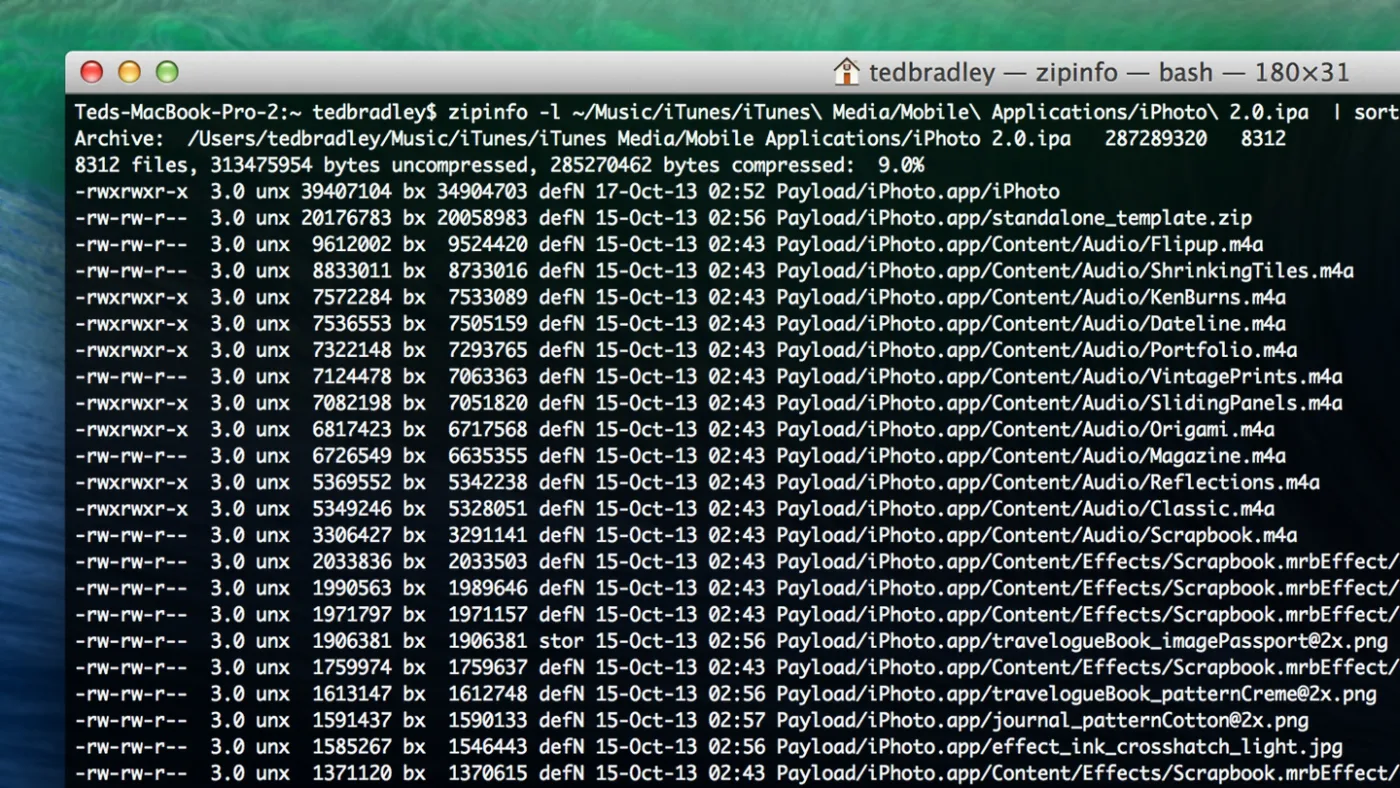
Zipinfo
It's widely-known that IPA files are really just zip files with a few bits of payload and custom extension, making it easy to take a look at the built product you’re submitting to Apple. Complementing the unzip command line tool, there is also a zipinfo tool which gives all sorts of incredibly useful information. You can pass it in an IPA file directly.
Take any IPA file you have hanging around in the App Store, or a distribution IPA file and give it a whirl:
zipinfo -l ~/Music/iTunes/iTunes\ Media/Mobile\ Applications/My\ Cool\ App.ipa | sort -nr -k 6 > ~/Desktop/mycoolapp.txt
To break that down a bit, the -l flag ensures we get the long summary of all the files in the IPA file, the sort command then sorts on the 6th field (compressed size) and lists them in descending order. We're then piping that to a file called mycoolapp.txt on the Desktop.
Opening mycoolapp.txt, you can see a summary of the compression efficiency and pre and post compressed sizes. Each line is for an individual file and the first large number is its original uncompressed size, the second large number is its compressed size - the portion of the IPA file it's taking up.
What do we do with this information?
So what we're looking for here are the worst offending files (the ones which either don’t compress well or do but still take up a lot of space) and seeing where we can concentrate on making some good gains.
Zip tends to be fairly good for lossless compression, so what we're really looking for are files matching the above criteria but which also could be stored with either lossy compression or in a smaller form. By understanding the content and how it's used, it's possible to make much more drastic size changes that zipping alone can.
This might be something along the lines of:
- switching from raster graphic files to vector based
- going from a lossless graphics format such as PNG to JPG
- switching from WAV files to IMA4 (it's still a lossless compression, but takes up much less room)
- reducing the bit rate of audio and merging the left/right channels into a single mono one. Does that ping sound on hitting a button really need to be a stereo 44khz .wav?
- eliminating unneeded graphics channels (alpha perhaps) or going for lower bits per channel
- more aggressively compressing video assets
So what are we gaining from this?
The list above gives 6 fairly boilerplate techniques for reducing the download size, how this also gives us a vector of attack. In a large app it's very easy to attack assets which already compress very well. By starting with a targeted list and looking at the worst offenders first, it's often very easy to shave off a fair few megabytes without having to re-encode your entire asset list.
I'd love to hear how you get on by inspecting your own apps - and if you’ve got any more suggestions on how to slim-down things for App Store submission be sure to let me know on Twitter.