Bringing Website Deploy Notifications to Slack
· Ben
A few weeks ago Nik wrote about how we use Slack for communications. Today I’d like to share one of my favourite integrations we’ve setup: Beanstalk deployment notifications.
The Why
We have a “web” channel setup where we discuss anything site related and, more importantly, give each other updates on what has been published. Letting the team know about site updates is something I really wanted to automate as it’s tedious pasting commit messages in to Slack every time a change was deployed.
Slack integrates with numerous third-party services (the Twitter one is particularly handy), but Beanstalk isn’t one of them (at least it isn’t at the time of writing. Here’s hoping that they’re working on it!).
Slack does however offer generic “Incoming WebHooks”, and Beanstalk has post-deployment hooks, so I decided to hack together a PHP script that would act as our Beanstalk integration for Slack.
The How
Get started by creating a PHP file on your server (e.g: /slack/beanstalk.php).
Next you need to create the Incoming Webhook integration in Slack (from the Integrations tab) and note down the URL you’re given (something like https://your-company.slack.com/services/hooks/incoming-webhook?token=abc123)
Finally you need to set up the post-deployment hook in Beanstalk. To do this edit the server settings for each deployment environment and enter the full path to the PHP file you created on your server (e.g.: http://your-company/slack/beanstalk.php).
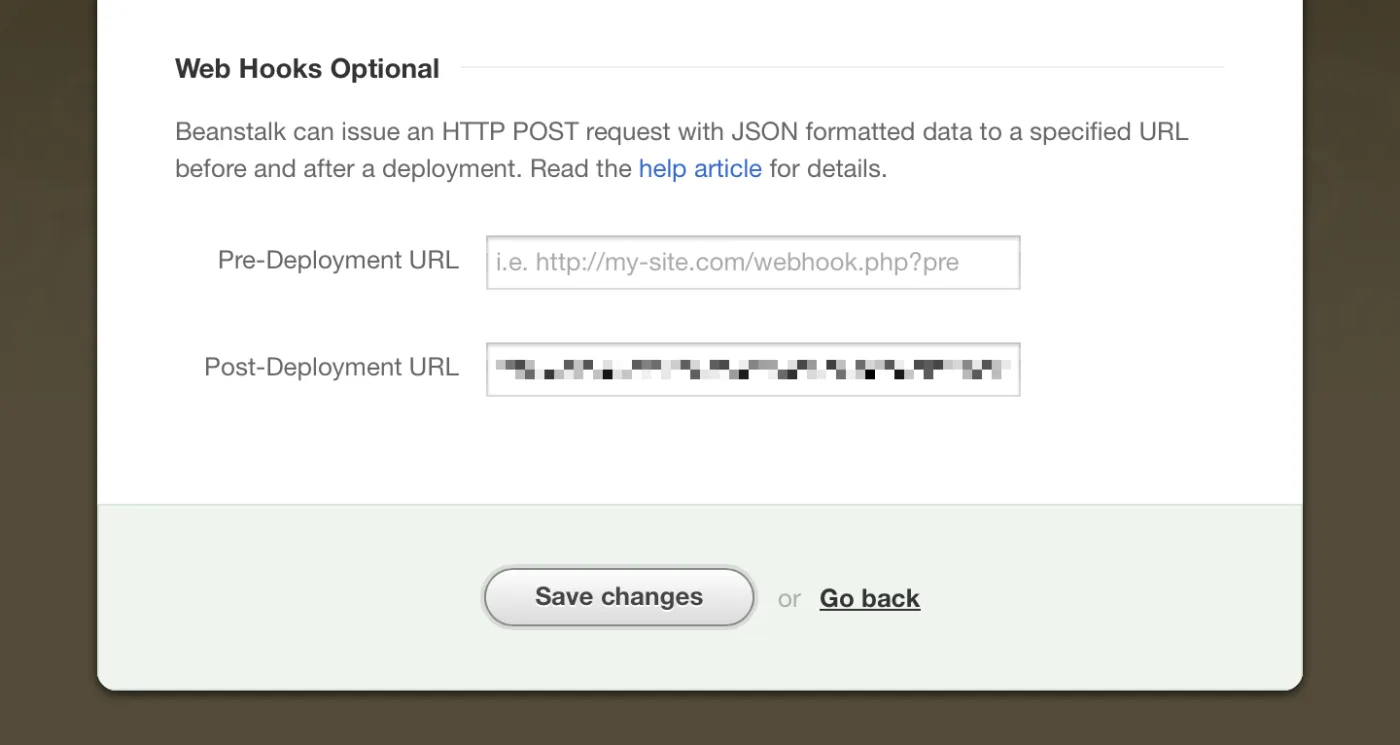
Once you have those three things in place, modify the PHP script below to match your companies details and add it to your slack/beanstalk.php file.
Note: this script assumes two things:
- You have sub-domains setup for each deployment environment, e.g.: test.company.com
- You have a “web” Slack channel setup (if not, change that in the code below).
    <?php
        // Create data object from Beanstalk Post Deployment hook
        $bs_data = json_decode(@file_get_contents('php://input'));

        // Set an Environment URL so we can tell which environment has been updated
        $environment_url = "http://" . $bs_data->environment . ".your-company.com/";

        // SLACK MESSAGE (the message you'll see in your Slack channel)
        $message = "Just deployed '".$bs_data->comment."' by ".$bs_data->author_email." to <".$environment_url.">";

        // Array of data posted Slack
        $fields = array(
            'channel' => "web",
            'username' => "deploybot",
            'icon_emoji' => ":shipit:",
            'text' => $message
        );

        // 'payload' parameter is required by Slack
        // $fields array must be json encoded
        $payload = "payload=" . json_encode($fields);

        // URL we need to post data to (Given to you by Slack when creating an Incoming Webhook integration)
        $url = 'https://your-company.slack.com/services/hooks/incoming-webhook?token=abc123';

        // Start CURL connection
        $ch = curl_init();

        // Set the:
        // - URL
        // - Number of POST variables
        // - Data
        curl_setopt($ch,CURLOPT_URL, $url);
        curl_setopt($ch,CURLOPT_POST, count($fields));
        curl_setopt($ch,CURLOPT_POSTFIELDS, $payload);

        // Execute post to Slack integration
        $result = curl_exec($ch);

        // Close CURL connection
        curl_close($ch);
    ?>
With all that configured: get back to work! The next time you deploy a change your team will automatically be notified in Slack.
This has been a really handy integration that’s saved me time and hassle as I no longer have to tell people individually about every change to the site, they get a notification when it happens. It’s been a great way to help improve our web workflow, as people know there’s new stuff to review and everyone’s better informed on the progress of website changes and deployments!